Adding Firebase server key
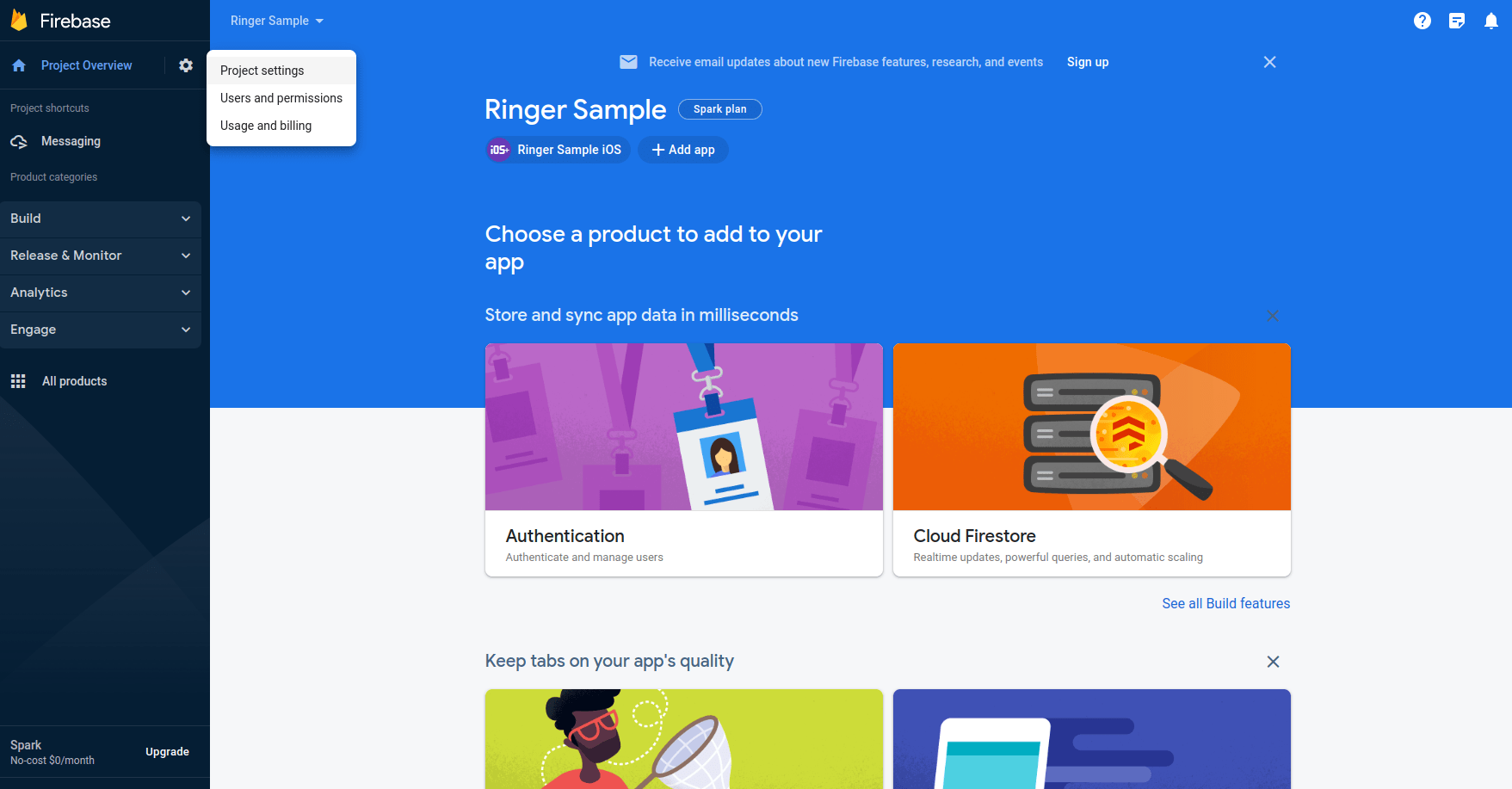
- Visit https://console.firebase.google.com/ and log in with your associated Google account. Go to Project Settings
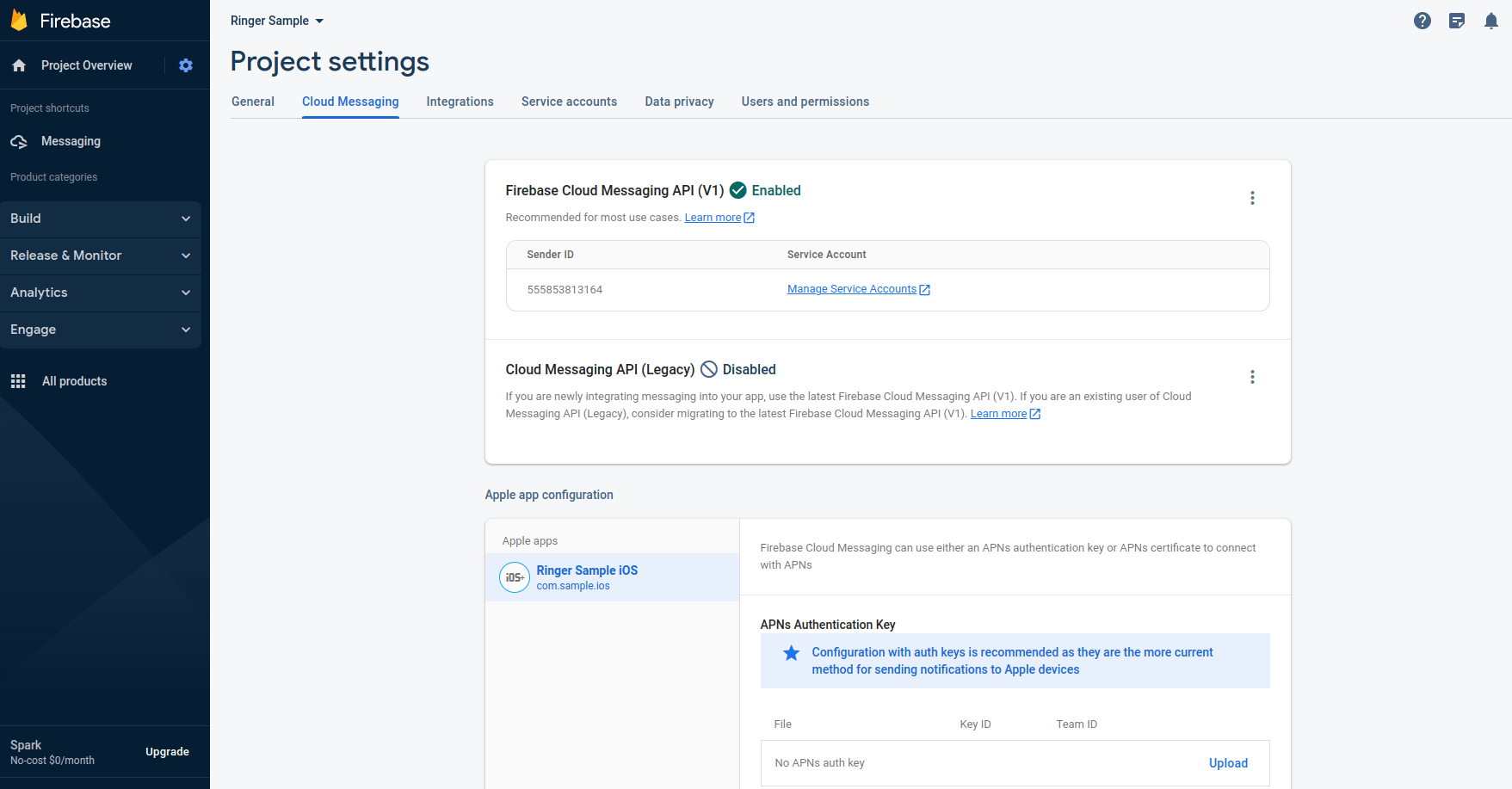
- Select the 'Cloud Messaging' tab and you will see the server key token. Copy that value
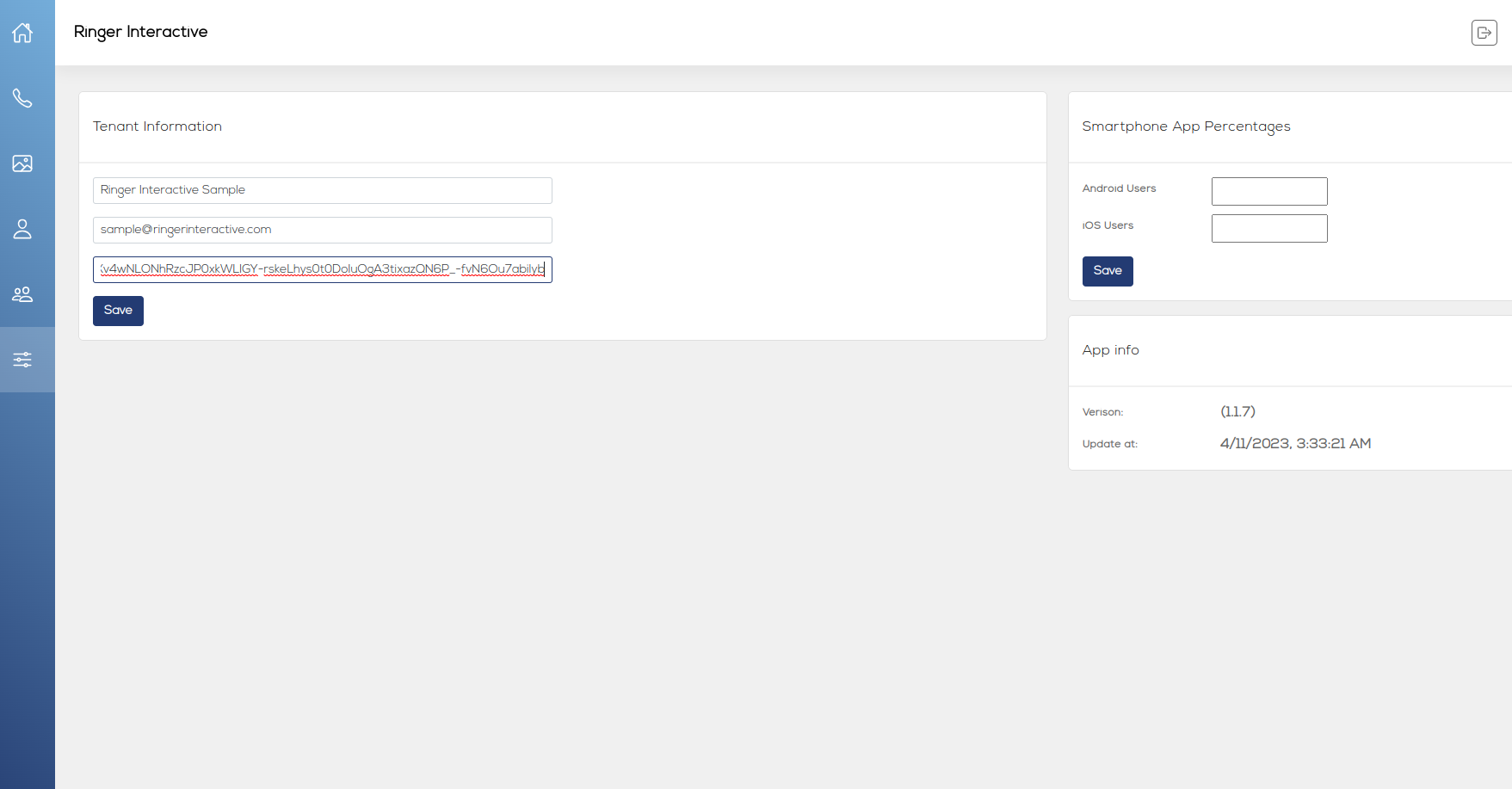
- Login to Ringer Portal, go to Settings. Paste the copied Firebase token into the appropraite field and click Save.